

Safer
Drone-first capture reduces scaffolding and work at height while keeping every observation traceable.
LinkVision platform
Explore the AI inspection platform that connects capture, analysis, spatial context, and professional reporting.
Core values
Drone-first capture reduces scaffolding and work at height while keeping every observation traceable.

AI-assisted review compresses inspection cycles from weeks to hours for each building.

Efficient capture and automated analysis reduce labour, access, and equipment costs.

High-resolution imagery, AI detection, and expert review support consistent, measurable findings.
Structured records and export-ready reports keep projects aligned from capture to delivery.
Product capabilities
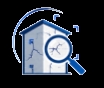
Multi-model detection identifies and classifies façade and infrastructure defects from high-resolution imagery and assesses their safety level.
Request demo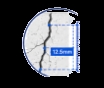
Monocular depth estimation uses drone-camera parameters to measure position, width, height, and affected area.
Request demo
Generate spatial building models and place every reviewed finding in its precise 3D context.
Request demo
Reveal thermal anomalies linked to moisture, delamination, insulation failure, and other hidden conditions.
Request demo
Automatically detect and blur faces, windows, licence plates, and other sensitive visual details.
Request demo
Turn reviewed findings into consistent Word and Excel deliverables with charts, indices, and visual evidence.
Request demoFlexible deployment
Run LinkVision on your own Windows computer with a software licence. Alongside the core inspection tools shared with the cloud version, local deployment also supports historical inspection comparison.
For teams that prefer to run the software on their own equipment. The local version is slightly less convenient to operate than the cloud version.
Keep your computer connected to the internet during use for real-time licence authentication.
A 2 TB drive is estimated to hold data for around 100 buildings. Actual capacity depends on the amount of data per building; reserve additional storage for larger projects.
Access LinkVision in your browser with no software installation. Use the core inspection tools shared with local deployment; historical inspection comparison is currently available only in the local version.
For teams that want to get started quickly or work without a high-performance computer.
An internet connection is required to access the platform and work with cloud-hosted data.
The local estimate of 2 TB for around 100 buildings does not apply to the cloud version. Cloud capacity depends on the service configuration and is confirmed for each project.
LinkVision combines automated detection with engineering review to turn large-scale drone imagery into prioritised, decision-ready findings.
Analyse infrared imagery alongside visible-light records to identify thermal anomalies on building façades. The combined view helps reveal moisture intrusion, delamination, insulation defects, and conditions that are difficult to confirm visually.
99% privacy protection: a built-in workflow detects and obscures sensitive targets such as faces, windows, and licence plates. Teams can retain useful inspection evidence while supporting privacy and project-compliance requirements.
Automatically reconstruct a building from coordinated drone-image sequences, then map each defect into the 3D model. Floor-level positioning and elevation plans make each issue easier to locate. The spatial view supports clearer collaboration across project teams.
Organise all AI detection results and descriptions in a structured workspace. Reviewers can verify and correct findings with live previews and floor-level positioning. Automatically generated reports include key information linked to locations in the 3D model for clear, readable results.
Compare inspection records for the same building across different periods using 2D elevations and 3D models, together with original photos and changes in defect counts within selected regions. Engineers can examine defect details and track building conditions to inform reinspection and maintenance assessments. This feature is currently available only in the local deployment version.
Core capabilities
A complete drone-based façade inspection workflow, from defect recognition to project deliverables.
| Capability | Our platform |
|---|---|
| AI defect detection | 74+ defect types Optical and infrared recognition. |
| Detection accuracy | 90%–95% Measured against manual review. Cloud and local deployments use the same assessment basis. |
| Field-test sample coverage | Samples across a broad range of building types Samples come from real inspection projects, with coverage continuing to expand. |
| Multiple AI models | Coordinated AI models Models share feature extraction, defect localization, and result reasoning to support recognition accuracy and output quality. |
| Severity assessment | AI-assisted severity assessment and defect descriptions |
| Dimension estimation | Image-based estimation of physical defect dimensions |
| Drone route planning | Sparse-point planning without a prebuilt 3D model |
| 3D reconstruction | 3D reconstruction and defect mapping, with floor-level positioning, elevation plans, and interactive review of full-façade 2D views and 3D models |
| Historical inspection comparison | Available in local deployment only Compare 2D elevations, 3D models, original photos, and regional defect counts across inspection periods. |
| Automated reports | Structured inspection reports with a human review step |
| Privacy protection | Adaptive privacy blurring for faces, windows, doors, and other sensitive regions |
| Deployment options | Cloud platform A web-based platform accessed directly in your browser, with no installation required. Local deployment Process and keep project data on your own device. A network connection is required for real-time license verification. |
| Recommended local hardware | RTX 4090 GPU · Intel Core i9 · 32 GB RAM · 2 TB storage or more Approximately 100 buildings of project data, depending on project scale. Reserve additional storage for larger projects. |
| Processing time | 4–8 hours in project field tests Actual time depends on the inspection scope and hardware configuration. |
United Vision products
United Vision products
United Vision products
United Vision products